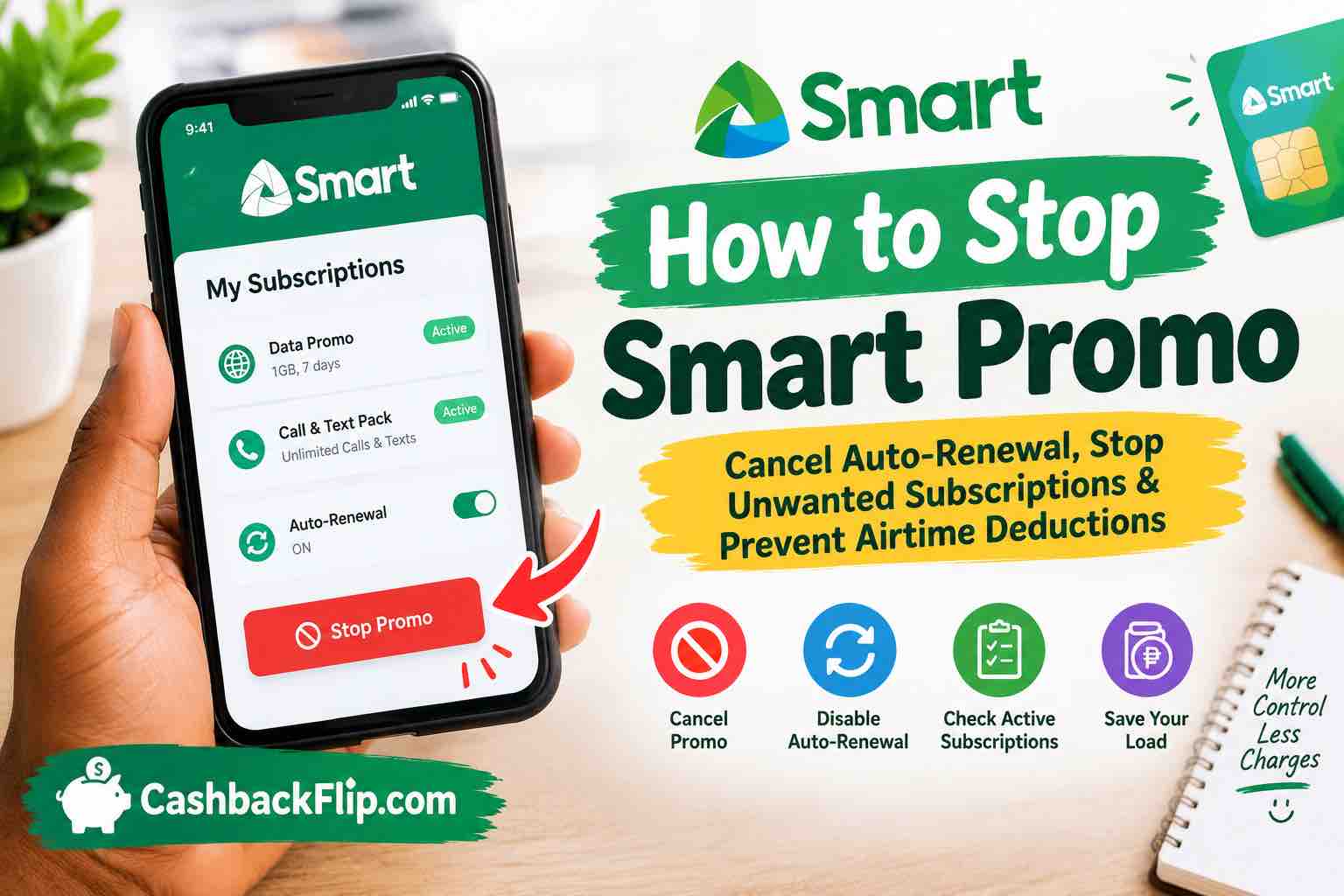
Learn how to stop Smart promo, disable auto-renewal, cancel unwanted subscriptions, check active offers, and prevent unexpected airtime deductions.
Have you subscribed to a Smart promo and suddenly realised that your airtime keeps disappearing? Perhaps you activated a data bundle that automatically renews, or you simply want to stop a subscription you no longer need.
Whatever the reason, knowing how to stop Smart promo can help you avoid unnecessary charges, manage your mobile balance, and stay in control of your subscriptions.
Smart Communications offers various prepaid promotions, including data bundles, call and text packages, and other mobile services. Some offers support automatic renewal, which means your subscription may renew when it expires if your account has sufficient load.
The good news is that you can manage these subscriptions through the Smart app or the available USSD menu.
In this guide, you will learn how to stop Smart promo, disable auto-renewal, check your active subscriptions, and troubleshoot common cancellation problems.
What Is Smart Promo?
Smart Promo generally refers to promotional mobile offers available through Smart Communications in the Philippines.
These offers allow subscribers to access mobile data, calls, text messages, and other services at specified prices and for particular validity periods.
Depending on the offer, a promo may last for a day, several days, or a month.
Smart subscribers can manage eligible offers through the Smart app or the USSD menu by dialling *123#.
However, not every promo works in the same way.
Some offers expire automatically, while others have an auto-renewal feature that allows the subscription to renew when its validity period ends.
This distinction matters because cancelling auto-renewal is not necessarily the same as immediately terminating an active promo.
For example, if you activate a data bundle that lasts seven days, disabling its auto-renewal generally prevents the next automatic subscription. You can continue using the remaining benefits until the existing promo expires, subject to its terms.
If your primary concern is that Smart keeps deducting your load, identifying the type of subscription responsible is the first step towards solving the problem.
How to Stop Smart Promo
The simplest way to stop a Smart promo from renewing is to use the Smart app or the available USSD menu.
Method 1: Use the Smart App
Follow these steps:
- Open the Smart app on your smartphone.
- Log in using your Smart account details.
- Open your account dashboard.
- Look for the Auto-Renew, Manage Subscription, or relevant usage management option.
- Find the promo you no longer want to renew.
- Turn off auto-renewal or select the available cancellation option.
- Follow any confirmation prompts.
- Check for a confirmation message to verify that the change was successful.
The exact menu labels may differ depending on your subscription and app version.
Smart’s official instructions explain that eligible prepaid subscribers can manage automatic renewal through the app.
Important: Turning off auto-renewal usually allows your current promo to remain active until its expiry date. It prevents the next automatic renewal rather than necessarily cancelling your remaining benefits immediately.
Method 2: Use the USSD Menu
If you do not have internet access or prefer using your phone’s dialler, try this method.
- Open your phone’s dialler.
- Dial *123# using your Smart SIM.
- Select Bal:Svcs from the available menu.
- Choose Manage Auto-Renew.
- Select the promo you want to stop renewing.
- Follow the instructions displayed on your screen.
- Wait for confirmation that your request has been processed.
The available options can vary by offer and account type. If the menu does not display your subscription, use the Smart app or contact customer support.
Which Method Is Better?
Both methods can help you manage eligible subscriptions.
The Smart app is particularly useful when you want to see your account information and active offers in one place.
The USSD menu is convenient when you have limited internet access.
Whichever method you choose, always verify that the change was successful rather than assuming the subscription has been cancelled.
How to Stop Smart Promo Auto-Renewal
If your Smart promo keeps renewing without you manually subscribing again, you probably need to disable auto-renewal.
Auto-renewal allows eligible Smart Prepaid, TNT, Smart Bro, and Prepaid Home WiFi offers to renew automatically when they expire, provided the necessary balance is available.
Although this feature is convenient for people who regularly use the same data bundle, it can be frustrating if you want to save your remaining load.
Here is how to stop it.
Steps to Disable Auto-Renewal
- Open the Smart app.
- Locate the Auto-Renew or subscription management section.
- Find the active offer you want to manage.
- Disable its auto-renewal setting, if available.
- Confirm the change.
- Check your account again to ensure the setting has been updated.
Alternatively, dial *123# and navigate to Bal:Svcs > Manage Auto-Renew.
Select the relevant offer and follow the displayed instructions.
You can find additional guidance in the official Smart auto-renewal guide.
Will Disabling Auto-Renewal Stop All Airtime Deductions?
Not necessarily.
Disabling auto-renewal stops the eligible promo from renewing automatically, but it does not automatically cancel every other service associated with your number.
If your load continues to decrease, check for:
- Other active data or call promos.
- Multiple subscriptions with separate renewal schedules.
- Chargeable add-ons.
- Other mobile services billed to your account.
- Data usage outside your active bundle, where applicable.
Identifying the specific charge will help you determine the correct cancellation method.
How to Cancel Smart Promo Using the Smart App
The Smart app is a convenient option for checking your account and managing eligible subscriptions.
Smart’s official support resources refer to the GigaLife app, which provides account management features for Smart and TNT subscribers.
Depending on the current app version and account, some functions may appear under different names.
Step-by-Step Instructions
Step 1: Open the app
Launch the Smart app on your device.
Step 2: Log in to your account
Use the mobile number and account credentials associated with your Smart subscription.
Step 3: Review your active offers
Look for the section that displays your current promos, remaining data, or subscription information.
Step 4: Identify the promo you want to stop
Check the offer’s name and validity period to ensure you are managing the correct subscription.
Step 5: Turn off auto-renewal
If the promo has an auto-renewal setting, disable it and follow any confirmation instructions.
Step 6: Verify the result
Return to the subscription details and confirm that the auto-renewal setting is disabled.
If you cannot find a cancellation option, consult the app’s help section or contact Smart customer support.
How to Stop Smart Promo Through USSD
USSD is useful if you have a basic phone, limited mobile data, or difficulty accessing the Smart app.
For eligible Smart prepaid offers, the main management route is the *123# menu.
Follow These Steps
- Dial *123#.
- Navigate to Bal:Svcs.
- Select Manage Auto-Renew.
- Choose the relevant offer.
- Follow the displayed instructions to disable renewal.
- Check for confirmation.
Remember that the menu is intended to manage eligible automatic renewals. It may not provide the same cancellation options for every type of subscription.
If you are trying to cancel a different service, such as a postpaid add-on, use the instructions specifically provided for that service.
Avoid entering random cancellation codes found online. A code intended for a different promo may not work for your subscription.
How to Stop Smart Postpaid Add-Ons
Smart postpaid subscribers may have add-ons that operate differently from prepaid promos.
For certain Smart postpaid add-ons, the official cancellation instructions require subscribers to send a text message in a specified format.
The format is:
STOP [ADD-ON KEYWORD]
Send the message to 9999.
For example, Smart’s official help page lists the following cancellation format for the Giga Video 299 add-on:
STOP GIGA299
Send it to 9999 and wait for confirmation.
The keyword depends on the add-on you are cancelling. Do not use GIGA299 for a different service unless Smart specifically identifies it as the correct keyword.
According to Smart, successfully deactivating an eligible postpaid add-on prevents it from renewing in the next billing period. Your existing service may remain available until the applicable cut-off date.
What If the STOP Message Does Not Work?
Check the following:
- Did you enter the correct add-on keyword?
- Did you send the message to the correct short code?
- Is the add-on eligible for cancellation through SMS?
- Did Smart send a response confirming the request?
- Does your particular subscription require another cancellation method?
If the message fails, contact Smart through an official support channel before trying alternative codes.
How to Check Your Active Smart Promo Subscription
Before cancelling a promo, it helps to identify which offers are currently active on your account.
This is particularly important if your load keeps decreasing even after you have disabled one subscription.
Check Through the Smart App
Open the app and navigate to your account usage or active subscription section.
Review the available information, including:
- Active promo names.
- Remaining data or other benefits.
- Subscription validity.
- Renewal settings, where displayed.
The available information depends on your account and offer.
Check Through the USSD Menu
You can also dial *123# and review the available account and balance services.
Follow the relevant menu prompts to check your subscriptions and manage automatic renewal.
Smart’s official support guidance explains that prepaid balance inquiries can include information about subscribed promos and their expiry dates.
Why Checking Your Subscriptions Matters
Suppose you subscribed to two different data offers.
You disable auto-renewal on the first offer, but the second remains active and renews automatically.
Your load may still decrease even though you successfully stopped the first promo.
This is why checking all relevant subscriptions is more useful than repeatedly cancelling the same offer.
Why Is Smart Promo Still Deducting My Load?
If your Smart load continues to decrease after you try to stop a promo, several explanations are possible.
1. Auto-Renewal Is Still Enabled
Your subscription may not have been successfully removed from automatic renewal.
Open the Smart app or use the USSD menu to check its current status.
2. You Have Multiple Active Promos
You might have more than one subscription with a separate renewal schedule.
Review all active offers and identify which ones you no longer need.
3. You Cancelled the Wrong Service
A promo and a postpaid add-on may have different cancellation procedures.
Make sure the cancellation method matches the exact service shown in your account.
4. The Cancellation Was Not Confirmed
A failed request does not necessarily change your subscription.
Look for an SMS or an updated subscription status confirming that the request succeeded.
5. Another Charge Is Responsible
The deduction might not be related to your Smart promo at all.
Review your account information and any messages explaining recent charges. If the reason remains unclear, ask Smart customer support to identify the transaction.
How to Resolve the Problem
Keep the following information ready when contacting customer service:
- Your mobile number.
- The name of the affected promo.
- The date and approximate amount of the deduction.
- Any cancellation confirmation message.
- Screenshots of the subscription details, if available.
Ask the support representative to identify the charge and explain whether the subscription is still active.
If you believe you were charged incorrectly, request an investigation and ask whether a refund is available under the applicable terms.
How to Stop Smart Promo From Automatically Renewing
If your goal is to prevent future deductions rather than cancel an existing subscription immediately, focus on the renewal setting.
Here are some practical steps.
Disable Renewal Before the Expiry Date
Check your promo’s validity period and turn off auto-renewal before the next scheduled renewal.
Do not wait until the last minute if you can avoid it.
Review Every Active Subscription
If you have multiple data bundles or add-ons, check each one separately.
Cancelling one subscription does not necessarily affect another.
Check Before Buying a New Promo
Some offers have automatic renewal enabled when purchased through particular channels.
Before confirming a subscription, look for an Auto-Renew option and disable it if you do not want the offer to renew.
Keep the Confirmation Message
Save any message confirming that the renewal setting has been disabled.
If another deduction occurs, this record may help customer support investigate the issue.
Monitor Your Load Balance
Check your balance after the next expected renewal time.
If the deduction happens again, investigate the transaction rather than assuming the cancellation was successful.
Can You Cancel Smart Promo Before It Expires?
The answer depends on the type of promo and the available cancellation options.
For many prepaid data offers, disabling auto-renewal does not immediately terminate the active subscription.
Instead, the current promo remains usable until its validity expires, while future automatic renewals are disabled.
This can be beneficial because you do not necessarily lose the remaining data or other benefits you have already paid for.
Postpaid add-ons may have their own deactivation rules and billing cut-off dates.
Before cancelling, check the terms of the specific offer and confirm whether you are disabling renewal or ending the service itself.
Also remember that cancelling a promo does not automatically guarantee a refund for unused benefits.
Refund eligibility depends on the applicable service terms and the circumstances of the charge.
How to Stop Unwanted Promotional Messages in Nigeria
This section is for Nigerian readers who mean unwanted promotional messages or chargeable mobile services rather than Smart Communications promos in the Philippines.
If you use MTN, Airtel, Glo, or 9mobile in Nigeria and want to stop unwanted promotional SMS messages, the Nigerian Communications Commission provides a Do Not Disturb service.
The service uses the short code 2442.
How to Activate Full Do Not Disturb
- Open your SMS application.
- Create a new text message.
- Type STOP.
- Send it to 2442.
- Follow any instructions provided and check your DND status if necessary.
This activates full DND according to the Nigerian Communications Commission’s published guidance.
Full DND is intended to stop unsolicited promotional communications covered by the service. You may still receive essential service communications, depending on their type and applicable rules.
How to Check Your DND Status
Send:
STATUS
to:
2442
This allows you to check your DND status.
You can also send HELP to 2442 to receive available options.
How to Stop Chargeable Mobile Subscriptions in Nigeria
If the problem is not promotional messages but airtime deductions caused by an active content subscription, you may need a different solution.
The NCC provides a unified Value-Added Services management code:
*Dial 305#
Follow the menu instructions to view eligible active subscriptions and deactivate services you no longer want.
Remember the difference:
- 2442: Helps manage unwanted promotional messages through DND.
- *305#: Helps manage eligible value-added service subscriptions that may be causing unwanted charges.
Using the appropriate option can help you address the actual cause of the problem.
Common Problems When Cancelling Smart Promo
The Cancellation Code Is Not Working
Make sure you are using the cancellation method intended for your particular network, promo, and account type.
A code that works for one service may not work for another.
The Promo Is Not Showing in the App
Check whether you are logged into the correct account and whether the offer is still active.
If it remains missing, contact official customer support for assistance.
Your Load Is Still Decreasing
Check your other active subscriptions, renewal settings, and recent transaction details.
If you cannot identify the charge, ask your network provider to investigate it.
You Did Not Receive a Confirmation Message
Check your subscription status through the relevant app or menu.
If the status is unclear, contact customer service before assuming that the cancellation succeeded.
You Want Your Money Back
Explain the charge to customer support and ask whether it qualifies for a refund.
Provide the transaction date, amount, and any available cancellation records.
A refund is not guaranteed simply because you no longer want the service.
Frequently Asked Questions
How do I stop Smart promo quickly?
For eligible Smart Prepaid offers in the Philippines, use the Smart app to disable auto-renewal or dial *123#, select Bal:Svcs, then Manage Auto-Renew and choose the relevant offer.
What code stops Smart promo auto-renewal?
Smart’s official instructions identify *123# as a route for managing eligible prepaid auto-renewal settings. Navigate through Bal:Svcs and Manage Auto-Renew.
Can I stop Smart promo without using the internet?
Yes. You can use the *123# USSD menu to manage eligible prepaid auto-renewal settings without needing an internet connection.
Will I lose my remaining data if I stop auto-renewal?
Disabling auto-renewal generally stops the next automatic subscription while allowing the existing promo to remain active until expiry. The precise outcome depends on the offer’s terms.
Why does Smart keep deducting my load?
Possible reasons include an active auto-renewing promo, another subscription, a postpaid add-on, or a different charge. Check your account and ask Smart support to identify unexplained deductions.
How do I cancel a Smart postpaid add-on?
For supported Smart postpaid add-ons, send STOP followed by the applicable add-on keyword to 9999. Check the official instructions to confirm the correct keyword for your service.
Can I get a refund after cancelling Smart promo?
A refund is not automatic. Contact Smart customer support, explain the circumstances, and ask whether your charge qualifies under the applicable terms.
How do I stop promotional SMS messages in Nigeria?
Send STOP to 2442 to activate full DND under the Nigerian Communications Commission’s guidance.
How do I stop unwanted subscriptions on MTN or Airtel in Nigeria?
Dial *305# and follow the available instructions to view and deactivate eligible value-added service subscriptions. To manage promotional SMS messages, use the DND service at 2442.
Does stopping promotional messages cancel my data subscription?
No. Blocking promotional messages and cancelling a chargeable subscription are different actions. Use the relevant service management option if you want to stop a subscription that deducts airtime.
Final Thoughts
Learning how to stop Smart promo can help you avoid unwanted renewals and manage your mobile balance more effectively.
For Smart Communications subscribers in the Philippines, the easiest starting points are the Smart app and the *123# USSD menu. Check your active subscriptions, disable the relevant auto-renewal setting, and confirm that the change was successful.
If your load continues to decrease, investigate other active subscriptions and ask customer support to identify any unexplained charges.
For Nigerian readers dealing with unwanted promotional messages or chargeable mobile services, the NCC’s DND short code, 2442, and Value-Added Services management code, *305#, address two different problems.
The most important rule is simple: identify the service responsible, use its official cancellation method, and verify that the request succeeded. That way, you can spend your airtime on the calls, messages, and data you actually need.