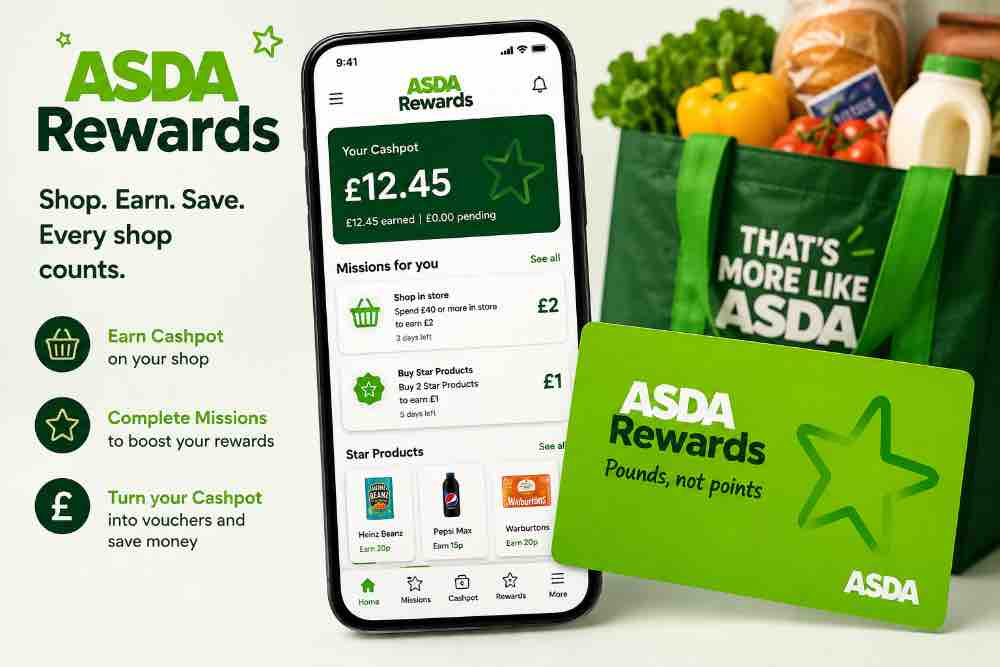
Asda Rewards: How to Earn More Rewards and Save Money on Your Grocery Shop
Let’s be honest: grocery shopping has a funny way of turning a “quick trip to Asda” into a receipt long enough to qualify as a short novel. You went in for milk and bread, and somehow walked out wondering how £50 disappeared.
That’s where Asda Rewards can make your regular shopping trips a little more rewarding. Instead of simply spending money on groceries and watching your bank balance wave goodbye, the Asda Rewards loyalty programme lets eligible shoppers earn Cashpots through selected offers and activities, which can then be turned into money off future Asda shopping.
The best part? You don’t necessarily need to become an extreme coupon collector or spend hours hunting for complicated promo codes. With the Asda Rewards app, you can activate offers, complete selected missions, track your Cashpot balance and potentially turn everyday grocery spending into savings.
In this guide, we’ll explain how Asda Rewards works, how to join, how to earn Cashpot rewards, how to use your Cashpot, and the smartest ways to get more value from the programme.
Because if you’re going to spend money on groceries anyway, you might as well make your shopping basket work a little harder for you.
How Does Asda Rewards Work?
Unlike traditional loyalty schemes that bombard you with mysterious points, Asda describes its programme as “Pounds, not points.”
1. Download the Asda Rewards app
To get started, download the Asda Rewards app and create or sign in to your Asda account. Asda says the programme works across both in-store and online shopping.
2. Shop and complete Rewards activities
As you shop, you can earn rewards through different activities shown in the app. These can include Missions, selected products and promotional offers. Asda has also introduced more personalised Missions based on customers’ shopping habits.
Some promotions can offer a percentage of the purchase price back into your Cashpot, while Missions can reward you for reaching particular shopping targets.
3. Build your Cashpot
The rewards you earn are added to your Asda Rewards Cashpot. Think of it as your little digital grocery-saving jar—except you don’t have to find somewhere in the kitchen to hide it.
Asda’s current Rewards site explains that customers complete Missions to earn Pounds and build their Cashpot.
4. Convert your Cashpot into a voucher
Once you’ve built up your Cashpot, you can convert some or all of it into an Asda Rewards voucher. The voucher can then be used to reduce the cost of eligible Asda shopping.
So the basic process is:
Shop → Earn Rewards → Build Cashpot → Create Voucher → Save on your Asda shop
5. Keep an eye on the app for extra offers
This is where Asda Rewards can become more interesting. Asda regularly introduces promotional activities and personalised Missions, so the offers available to one shopper may not always be identical to those available to another.
Asda has also recently expanded the programme beyond traditional grocery rewards. For example, in July 2026, it introduced a Grocery & Fuel Bonus allowing eligible customers at participating locations to unlock a 5p-per-litre fuel coupon after meeting the specified shopping requirement.
How to Join Asda Rewards Missions?
Joining Asda Rewards is fairly straightforward—and thankfully, it doesn’t require filling out paperwork thick enough to make you question whether the free rewards are worth it.
Asda says you can join by downloading the Asda Rewards app and creating an account. If you already have an Asda online account, you can use your existing login details rather than creating another account from scratch.
Step-by-Step: How to Sign Up for Asda Rewards
1. Download the Asda Rewards app
Search for Asda Rewards in the Apple App Store or Google Play Store and install the official app. The app is free to download.
2. Open the app and register
If you’re new to Asda, select the option to register and follow the instructions to create your account. You’ll need to provide the requested account information.
3. Already have an Asda account?
You can sign in using your existing Asda online, George, Scan & Go or Rewards login details. This allows your accounts to be linked.
4. Set up your digital Rewards card
Once registered, your Asda Rewards card is available digitally through the app. You can use the app to scan your Rewards barcode when shopping in-store.
5. Start using Asda Rewards
Once your account is ready, check the app for available rewards, coupons and missions. Your eligible rewards can build up in your Cashpot, which can later be converted into vouchers for money off eligible Asda shopping.
How to Download and Set Up the Asda Rewards App
If you’re planning to make the most of Asda Rewards, the app is your starting point. Think of it as your little digital shopping assistant—except instead of reminding you that you forgot the milk, it helps you keep track of your rewards.
Asda says customers can get started by downloading the Asda Rewards app and signing in with an existing Asda Groceries account or creating one.
1. Download the Asda Rewards App
Search for the official Asda Rewards app in your phone’s app store. It is available through both the Apple App Store and Google Play.
Make sure you download the genuine Asda app rather than a similarly named third-party application.
2. Open the App and Choose to Register or Sign In
Once installed, open the app.
If you already have an Asda online account, you can sign in using those details. Asda’s Rewards login also supports existing Asda, George and Scan & Go sign-in details.
If you’re completely new to Asda online services, select the option to register and follow the instructions to create your account.
3. Use Your Correct Email Address
Pay attention to the email address you use when creating your account. If you already have an Asda-related account or an Asda Money Credit Card, using the appropriate registered email can help ensure your accounts connect correctly where applicable. Asda specifically states that Asda Money Credit Card customers should use the same email address registered to their credit card account when creating their Rewards account.
4. Complete Your Account Setup
Follow the instructions displayed in the app to finish registration. Once you’re signed in, you’ll be able to access your Asda Rewards account and see the rewards features available to you.
5. Start Using the App Before Your Next Shop
Don’t wait until you’re standing at the checkout with a trolley full of groceries and 14 people behind you.
Open the app before shopping and check your available Rewards offers, missions and other opportunities. Asda has used the app to provide personalised missions and rewards, so what’s available can vary between customers and over time.
6. Scan Your Asda Rewards App When Shopping
When shopping in-store, remember to scan your Rewards app at checkout so your eligible purchases can be linked to your account. Asda’s programme is designed to build your Cashpot, which can later be converted into vouchers to spend at Asda.
What Is an Asda Cashpot?
An Asda Cashpot is the reward balance you build up when you use the Asda Rewards loyalty programme. Think of it as your little digital savings jar—except instead of dropping coins into it yourself, eligible Asda shopping activities can help fill it up.
How to Earn Money With Asda Rewards
Asda Rewards is designed to give shoppers pounds rather than traditional loyalty points, with eligible rewards building up in your Cashpot.
Here are the main ways you can earn with Asda Rewards:
1. Buy Eligible Star Products
One of the simplest ways to grow your Cashpot is by purchasing Star Products highlighted in the Asda Rewards app or in participating stores. These can include selected branded and Asda own-brand products.
The important part is to check the app before shopping because eligible products and reward amounts can change.
2. Complete Asda Rewards Missions
Missions are another major way to earn. These are challenges displayed in the Asda Rewards app that encourage you to purchase certain products or reach a particular shopping milestone.
For example, Asda has previously offered missions around categories such as fruit and vegetables, school shopping and household products.
The smart approach: Don’t buy something you don’t need simply because there’s a mission. Instead, look for missions that match what you were already planning to purchase.
3. Look Out for Bonus Offers
Asda occasionally runs special promotions that can give your Cashpot an extra boost. These may include seasonal promotions, personalised offers, bonus rewards or limited-time campaigns.
Past promotions have included significant Cashpot bonuses, showing why it’s worth checking the app before completing your shop.
4. Shop Online or In Store
You can earn Asda Rewards while shopping both in store and online. For in-store purchases, you generally need to scan your Rewards app at checkout. For online grocery orders, Asda says rewards are added after your delivery has been made.
That means you don’t necessarily have to change where you shop—you just need to make sure you’re using the Rewards programme correctly.
5. Check Your App Before Every Shop
This could be the easiest money-saving habit of all.
Before heading to Asda, open the Rewards app and check:
- Available Star Products
- Current Missions
- Bonus offers
- Your Cashpot balance
- Any available vouchers
- The terms attached to each promotion
Offers can change, so relying on an old screenshot or yesterday’s deal could leave you chasing a reward that has already disappeared.
6. Turn Your Cashpot Into Vouchers
Your Cashpot isn’t simply money you withdraw into your bank account. Asda’s current Rewards information says you can convert your accumulated Cashpot into Asda vouchers to use toward eligible shopping.
What Are Asda Rewards Missions?
Think of Asda Rewards Missions as little shopping challenges hiding inside the Asda Rewards app. Instead of simply earning rewards for buying individual products, a Mission usually asks you to complete a particular shopping goal—such as spending a certain amount on a category or reaching a specific milestone. Once you complete the requirements, you can receive money into your Asda Rewards Cashpot.
The interesting part is that Missions can be personalised, so the challenges available to one shopper may not necessarily be identical to those shown to another. Asda has said that customers can see their offers evolve based on how they use the Rewards app.
Where Can You Use Asda Rewards? In-Store vs. Online
You can use Asda Rewards mainly to get money off eligible shopping at Asda, both in-store and online. Asda says you convert your Cashpot into vouchers, which can be used toward an eligible Asda shop.
Asda Rewards Tips and Tricks for Bigger Savings
The trick with Asda Rewards isn’t necessarily spending more—it’s making sure you don’t miss opportunities to earn rewards on the shopping you were already planning to do.
Here are some practical Asda Rewards tips and tricks to help you get more value from the programme.
1. Check the App Before You Shop
Before heading to Asda, open the Asda Rewards app and check your available offers, Star Products and Missions.
This simple habit can help you spot rewards before you start shopping. If an offer matches something already on your grocery list, you can potentially earn Cashpot without buying something you didn’t need.
2. Activate Offers Before Shopping
Some rewards may require you to activate an offer before making your purchase. Don’t assume that simply buying an eligible product will automatically give you the reward.
Make checking and activating relevant offers part of your pre-shopping routine.
3. Complete Missions When They Match Your Normal Shopping
Asda Rewards Missions can give you another way to build your Cashpot.
However, don’t let a mission convince you to spend £30 just to save £3 if you wouldn’t have spent the money anyway. The smartest strategy is to choose missions that naturally fit your regular grocery shopping.
The golden rule: Don’t spend extra just to earn a reward.
4. Look Out for Star Products
Star Products can provide additional opportunities to earn rewards when you purchase eligible items.
Check the app regularly because the products and offers available to you can change. If a Star Product is something you already need, it can be an easy way to add more value to your normal shop.
5. Plan Your Grocery List Around Existing Offers
A grocery list isn’t just useful for controlling impulse purchases—it can also help you take advantage of rewards.
This is what we explained at our Smart Grocery Shopping Tips, Before shopping, compare your list with the offers available in your Asda Rewards account. If you need several eligible products anyway, you may be able to earn rewards while sticking to your planned budget.
6. Don’t Buy Things You Don’t Need for the Reward
This is probably the most important Asda Rewards tip.
Getting £2 in rewards isn’t a saving if you spend £10 on something you didn’t need.
Think of Cashpot as a bonus for smart shopping, rather than a reason to shop more.
Good news is that we have a complete guide that teaches you how to budget $500 or less in a week because Your goal should be to earn rewards from purchases you were already going to make.
7. Keep an Eye on Your Cashpot
Regularly check your Cashpot in the app so you know how much you’ve accumulated and whether rewards have been credited correctly.
Keeping track also makes it easier to decide when you want to redeem your available balance.
8. Use Your Rewards Strategically
When you’ve built up a Cashpot, consider using it toward a planned grocery shop rather than treating it as an excuse for an additional shopping trip.
For budget-conscious shoppers, this can turn accumulated rewards into a small reduction in the cost of a future shop.
9. Combine Rewards With Your Overall Money-Saving Strategy
Asda Rewards works best when it’s part of a bigger savings strategy.
For example, you could combine:
- A realistic grocery budget
- A shopping list
- Supermarket offers
- Asda Rewards
- Cashback opportunities where available
- Coupons or promotional discounts
- Price comparisons
- Meal planning
This approach can make a bigger difference than relying on one loyalty programme alone.
10. Check the Terms Before Chasing a Reward
Offers, Missions, eligibility requirements and reward conditions can change. Before spending specifically to earn a reward, check the details shown in the Asda Rewards app.
This is especially important if you’re trying to complete a Mission or take advantage of a limited-time promotion.
Common Asda Rewards Mistakes to Avoid
Asda Rewards can be a simple way to get something back from your regular grocery shopping, but there’s a catch: you actually have to use the programme correctly. Otherwise, your potential rewards can disappear faster than the biscuits you bought “for the kids.”
Here are some common Asda Rewards mistakes to avoid.
1. Forgetting to Scan Your Asda Rewards App
One of the easiest mistakes is forgetting to use your Asda Rewards membership when shopping.
If you don’t scan your app or use the appropriate loyalty details at checkout, you may miss out on rewards you could have earned from eligible purchases.
Tip: Make it a habit to open your Asda Rewards app before paying.
2. Ignoring Star Products
Star Products can provide opportunities to build your Cashpot when you purchase qualifying items.
The mistake is buying your usual products without checking whether any current Star Products could fit naturally into your shopping list.
That doesn’t mean you should buy things you don’t need just to earn rewards. A reward isn’t really a saving if it convinces you to spend £10 on something you wouldn’t have bought for £2.
3. Forgetting About Rewards Missions
Another common mistake is overlooking Asda Rewards Missions.
Missions can give you additional opportunities to build your Cashpot, depending on the offers available to you. Check your app regularly so you don’t miss relevant missions.
4. Letting Your Cashpot Sit Unused
Seeing your Cashpot balance grow can be oddly satisfying. But don’t forget that rewards can have terms and expiry conditions.
Instead of treating your Cashpot like a retirement fund, check the app regularly and understand when your rewards need to be used.
5. Buying Items You Don’t Actually Need
This is probably the biggest trap with any loyalty programme.
Getting a reward can feel like you’re making money, but spending extra purely to earn rewards can defeat the purpose of saving money with Asda Rewards.
Use Asda Rewards to make necessary shopping more rewarding—not as an excuse to fill your trolley with random snacks.
6. Not Checking the Terms of an Offer
Rewards offers can come with specific conditions, including qualifying products, dates, spending requirements or other restrictions.
Before relying on an offer, check the details in the Asda Rewards app. This can prevent the classic “But I thought I was supposed to get the reward!” moment at checkout.
7. Assuming Every Asda Purchase Earns the Same Reward
Not every product or transaction necessarily generates the same type or amount of reward.
Your Cashpot can depend on the particular Asda Rewards offer, Star Product or Mission involved. Don’t assume that simply spending more automatically means you’ll receive a proportionally larger reward.
8. Forgetting to Check Your Cashpot
If you’re actively trying to save money, keeping an eye on your Cashpot is worthwhile.
Checking it regularly helps you see whether rewards have been credited correctly and reminds you that you have money available to use toward a future shop.
9. Confusing Rewards With Instant Discounts
An Asda Rewards benefit isn’t necessarily the same as an instant discount at checkout.
That’s an important distinction. A product might cost the same today while giving you a reward that can be used later.
Understanding this difference makes it much easier to calculate whether an offer is genuinely worthwhile.
10. Focusing on Rewards Instead of Your Grocery Budget
Finally, don’t let the excitement of earning Cashpot rewards distract you from your actual grocery budget.
If you’re trying to reduce your food bill, start with your shopping list and budget. Then use Asda Rewards to make those planned purchases more rewarding.
Asda Rewards vs Cashback Apps: What’s the Difference?
At first glance, Asda Rewards and cashback apps look like cousins who showed up to the same family party wearing almost identical outfits. Both can help you save money, but they work in very different ways.
Asda Rewards is a supermarket loyalty programme designed around shopping at Asda. Depending on the offers and activities available to you, you can build up a Cashpot through eligible purchases and rewards, then use your Cashpot toward future Asda shopping.
Cashback apps, on the other hand, usually allow you to earn money back when you shop through participating retailers, purchase qualifying products, or complete specific offers. The cashback may be available for use or withdrawal according to the individual app’s rules.
Asda Rewards vs. Supermarket Loyalty Schemes: Which One Is Better?
Supermarket loyalty schemes all promise roughly the same thing: “Keep shopping with us and we’ll give you something back.” But the way you earn and spend those rewards can be very different.
Asda Rewards stands out because its system revolves around a Cashpot, allowing eligible shoppers to build up rewards from qualifying purchases, Star Products, Missions and selected promotions. Instead of simply collecting points that may take ages to become useful, the Cashpot gives you a clearer idea of the rewards you’ve accumulated.
Other major UK supermarkets take different approaches. For example, Tesco uses Clubcard points, while Sainsbury’s uses Nectar, and Morrisons operates its own More loyalty programme.
Frequently Asked Questions About Asda Rewards
Is Asda Rewards free to join?
Yes. Asda Rewards is a free loyalty programme. You can register through the Asda Rewards app and use it to track your Cashpot, available offers and missions.
How does Asda Rewards work?
Asda Rewards allows eligible shoppers to build a Cashpot by completing selected missions and taking advantage of qualifying Rewards offers. Your accumulated rewards can then be converted into vouchers to use towards eligible Asda shopping.
What is an Asda Cashpot?
Your Cashpot is where your Asda Rewards earnings are collected. Rather than giving you traditional loyalty points, Asda describes its programme as rewarding customers with pounds. You can convert eligible Cashpot funds into vouchers to help reduce the cost of future shopping.
Do I need the Asda Rewards app?
Yes, the app is central to the Rewards programme. You can use it to access your digital Rewards card, view your Cashpot, check available offers and track your progress. For in-store shopping, Asda says customers should scan the barcode from the app at checkout.
Can I use Asda Rewards when shopping online?
Yes. Asda Rewards can be used when shopping online as well as in store. For online orders, registered customers can earn Rewards after their delivery has been made, while vouchers can be created from eligible Cashpot funds for use on qualifying online shopping.
How do I spend my Asda Cashpot?
When you have enough eligible funds in your Cashpot, you can convert them into an Asda Rewards voucher through the app. The voucher can then be used towards eligible shopping, subject to the programme’s current terms and exclusions.
Can I save my Asda Cashpot for a bigger shop?
Yes, you can build your Cashpot rather than immediately converting it into a voucher. However, keep an eye on expiry information shown in the app because Rewards terms and expiry periods can apply to earned funds.
Do Asda Rewards expire?
Yes, expiry rules can apply to Cashpot funds. Asda has previously stated that unused Cashpot money can expire six months after the month in which it was earned. Because programme terms can change, check your app and the current Asda Rewards terms for the expiry date attached to your rewards.
Can I use an Asda Rewards voucher on my next shop?
Generally, yes, provided the voucher is valid and the purchase meets the applicable terms. Asda says Rewards vouchers can be used to reduce the cost of eligible shopping in store or online.
Is there a minimum amount needed to create an Asda Rewards voucher?
Asda’s current Rewards information says customers can convert their Cashpot into vouchers, with vouchers available from eligible balances starting at £1.
Is there a maximum Asda Rewards voucher?
Asda’s current Rewards page states that Cashpot funds can be converted into vouchers of up to £100. Always check the latest programme terms because reward rules can be updated.
Is Asda Rewards worth it?
For regular Asda shoppers, it can be worthwhile because you can earn rewards on qualifying purchases and missions without paying a membership fee. The key is to check your available offers before shopping and avoid buying something you don’t need simply because it offers a reward.